
Most concrete companies ignore technical SEO issues that directly tank their search rankings. We at Ladder 48 have seen sites lose 40% of their organic traffic because of crawlability problems, slow page speeds, and missing schema markup.
These technical problems are fixable. This guide walks you through the specific concrete SEO technical issues holding back your business and exactly how to fix them.
Why Page Speed Kills Concrete Contractor Rankings
Slow websites destroy rankings and lose leads before visitors even see your services. Google’s Core Web Vitals measure three specific performance metrics: Largest Contentful Paint measures how fast your main content loads, First Input Delay tracks how quickly your site responds to clicks, and Cumulative Layout Shift prevents elements from jumping around as the page loads. Concrete contractors with pages that take over 3 seconds to load see a 40% bounce rate compared to pages loading in under 1 second, according to research from Google and Deloitte. Your potential customers check competitors while your homepage still renders. Mobile-first indexing means Google primarily crawls and ranks the mobile version of your site, so a slow mobile experience directly tanks your visibility. Most concrete company websites load in 4 to 6 seconds on mobile 4G connections, which is unacceptable when competitors load in under 2 seconds. This speed gap compounds because slow sites also struggle with crawlability. When Googlebot has limited time to crawl your pages, it indexes fewer pages and prioritizes high-authority content, leaving your service pages and location pages buried.
Measure Your Core Web Vitals Performance
Google PageSpeed Insights tests your site, but ignore vanity scores and focus on the three Core Web Vitals thresholds: Largest Contentful Paint under 2.5 seconds, First Input Delay under 100 milliseconds, and Cumulative Layout Shift under 0.1. Check your mobile performance specifically because that’s what Google ranks. Google Search Console’s Core Web Vitals report shows how actual visitors experience your site across different pages and devices.
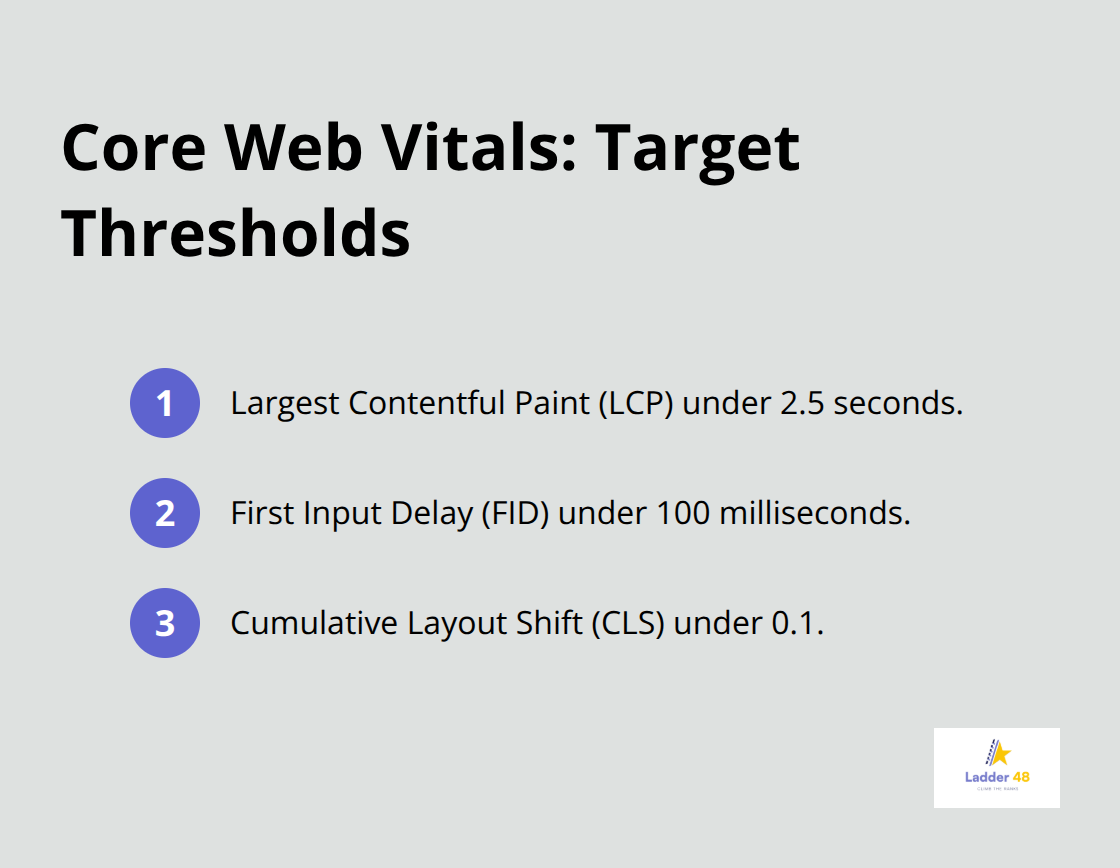
Pages with poor Core Web Vitals drop in rankings within weeks, so prioritize fixing the pages that drive the most traffic and leads.
Fix Image Weight and Render-Blocking Resources
Images typically account for 50% of page weight on concrete contractor sites, so compress them aggressively. Remove render-blocking JavaScript and CSS that delay page loads. Minify code and enable GZIP compression on your server. These fixes (combined with proper image optimization) reduce load times significantly on mobile connections.
Upgrade Your Hosting and Content Delivery
Upgrade to a content delivery network if your hosting is slow, or switch hosts entirely if your current provider cannot deliver pages in under 2 seconds. Test after each change because small improvements compound into meaningful ranking recovery. Your hosting infrastructure directly impacts whether Google crawls all your pages or leaves critical service pages unindexed.
Google Can’t Find Your Pages
Google cannot rank pages it cannot find. Most concrete contractor websites have broken XML sitemaps, misconfigured robots.txt files, or duplicate content that confuses Google’s crawlers about which version to index. When Google wastes crawl budget on duplicate pages or blocked URLs, your service pages and location pages never get indexed. Research shows that 60% of concrete contractor sites have at least one critical crawlability issue preventing Google from discovering their most valuable pages. The fix is straightforward: allow Google to crawl every page that matters, eliminate duplicate content, and guide the crawler to your highest-priority URLs.
Your Sitemap and Robots.txt Control What Google Sees
Your XML sitemap tells Google exactly which pages exist on your site, but most concrete contractors either submit broken sitemaps or never submit one at all. Check your sitemap in Google Search Console to see if Google can read it and whether pages are getting indexed. If your sitemap includes duplicate pages, outdated URLs, or pages with no traffic value, remove them immediately.
Your robots.txt file should allow Google to crawl your entire site except for admin pages, duplicate content, and pages you genuinely do not want ranked. A misconfigured robots.txt blocks entire directories by accident, preventing Google from finding your service pages. Test your robots.txt under the URL Inspection tool in Google Search Console to confirm it is not blocking critical pages. Many concrete companies accidentally block their entire /services/ directory or /locations/ directory with an overly aggressive robots.txt rule. Fix this immediately because even one misplaced line wastes weeks of potential indexing.
Duplicate Content Destroys Indexation
Duplicate content happens when the same page exists at multiple URLs, which forces Google to choose which version to index and rank. Concrete contractors often have duplicate issues across HTTP and HTTPS versions, www and non-www variations, or multiple URL parameters that serve identical content. Google wastes crawl budget investigating duplicates instead of discovering new pages.
Use the URL Inspection tool in Google Search Console to check whether your preferred version is the one Google indexes. Set your canonical tag to point to the single authoritative version of each page, then use 301 redirects to send all duplicate URLs to the canonical version. For concrete service pages, ensure each location and service combination has unique content, not just a template with swapped city names. If your patio installation page in Chicago and your patio installation page in Denver are identical except for the city name, Google treats them as duplicates and indexes only one. Write location-specific content that addresses local climate, local contractors, local pricing, and local customer concerns to eliminate duplicate detection and give each page unique value.
Internal Linking Guides Google and Users to Your Best Pages
Your internal linking structure determines which pages Google prioritizes and how users navigate your site. Concrete contractors typically bury their highest-value service pages deep in the site hierarchy, making them hard for Google to find and hard for customers to access. Link from your homepage to your three to five most important service pages with descriptive anchor text like “concrete driveway contractor” or “stamped concrete installation,” not generic links like “click here.”
When a page receives many internal links from authoritative pages, Google treats it as important and ranks it higher. Add contextual internal links within your blog posts and service pages that point to related services and location pages. If you write a blog post about concrete driveway maintenance, link directly to your concrete driveway installation service page and your location pages. This strategy concentrates link authority on your money pages and helps Google understand your site structure. Most concrete company websites have poor internal linking, which means Google struggles to determine which pages matter most.
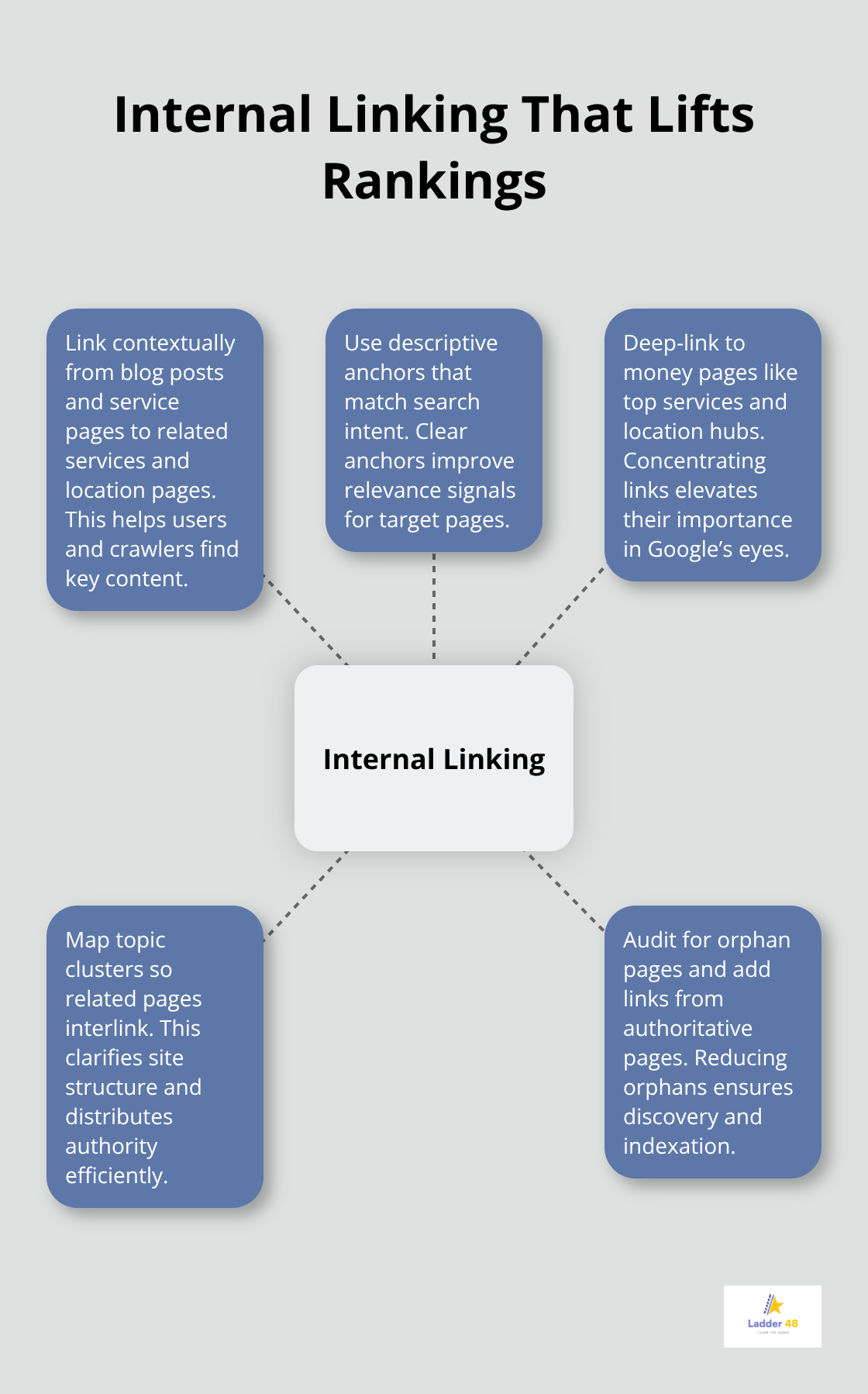
With your crawlability and indexation foundation solid, you can now focus on helping Google understand what your pages are actually about-which is where technical optimization and schema markup come in.
Schema Markup Makes Google Understand Your Concrete Services
Google needs more than crawlable pages and fast load times to rank you competitively. Schema markup tells Google exactly what your pages are about in a language the search engine understands natively. Without schema, Google guesses whether your page is about concrete driveways, stamped concrete, or concrete repair based on text alone. With proper schema markup, you eliminate ambiguity and help Google match your services to the exact searches your customers use.
Concrete contractors who implement Local Business Schema see an average 23% increase in local search visibility according to research from SEMrush, and those adding Service Schema markup see their service pages rank for 3 to 5 additional related keywords. This matters because AI search engines like ChatGPT, Perplexity, and Google’s AI Overviews rely heavily on schema markup to extract and cite information from your site.
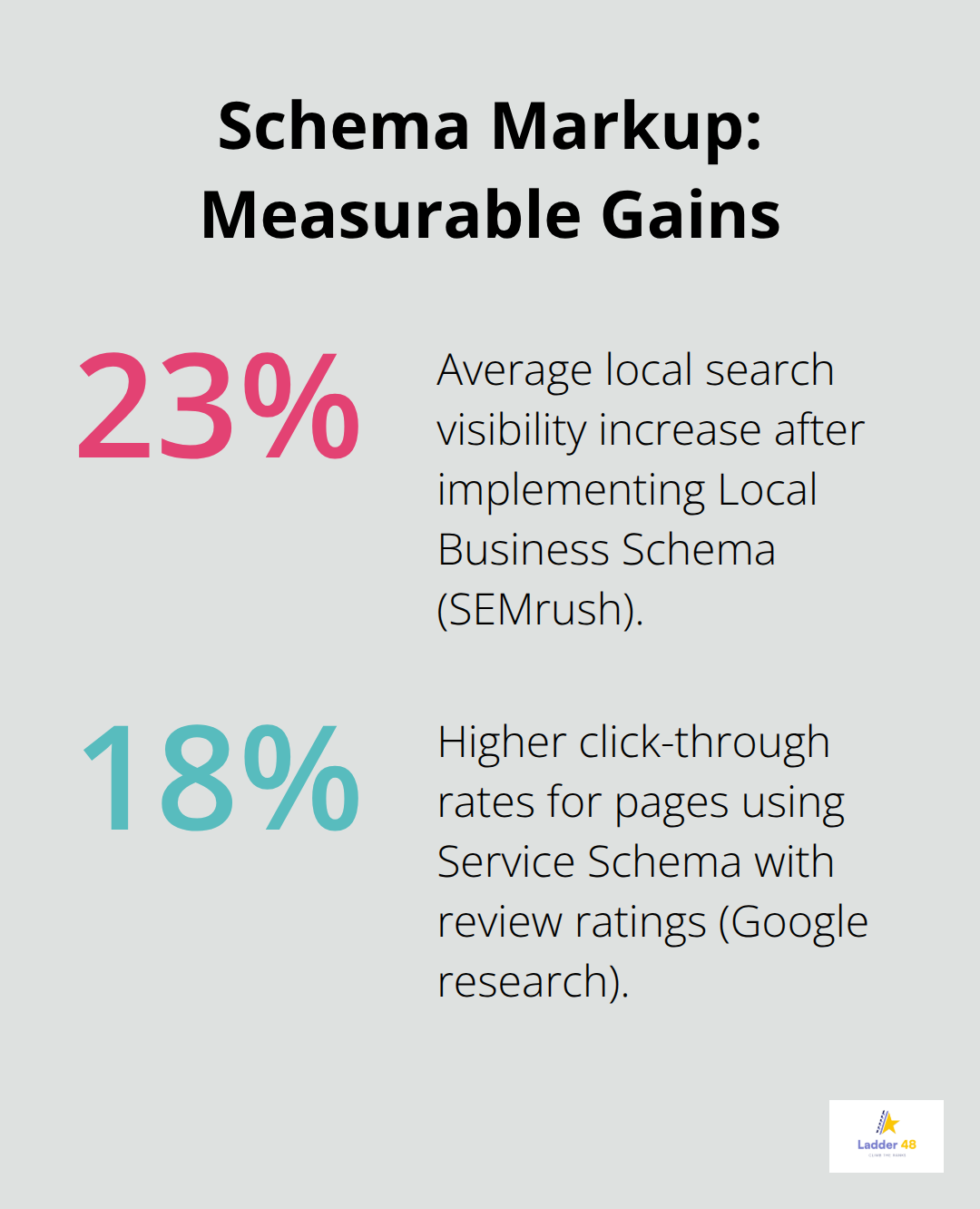
If your schema is missing or incorrect, AI systems cannot reliably cite you as a source, which means you lose visibility in the fastest-growing search channel.
Local Business Schema Aligns Your Website and Google Business Profile
Start with Local Business Schema on your homepage and every location page. This schema tells Google your company name, address, phone number, service area, and business hours in a structured format. Most concrete contractors skip this entirely, which means their Google Business Profile and website send conflicting signals to Google about their location and service area.
Your Local Business Schema must match your Google Business Profile exactly. If your schema lists your service area as Chicago and your Google Business Profile says Illinois, Google becomes confused about where you actually serve. Add the serviceArea field to your Local Business Schema to specify which cities and regions you service. Add the areaServed field to list every location you cover. This prevents Google from ranking you for irrelevant geographic searches while strengthening your rankings in your actual service areas.
Service Schema Increases Click-Through Rates and AI Citations
Implement Service Schema on every service page to specify what concrete services you offer, your pricing, service area, and customer reviews. Schema markup acts as a translator between your content and Google’s algorithms, ensuring your services appear correctly in search results and rich snippets. Include aggregate rating data in your Service Schema if you have customer reviews on your site.
Concrete contractors with Service Schema and review ratings see 18% higher click-through rates from search results than competitors without this markup according to Google’s own research. Service Schema also helps AI search engines extract accurate information about your offerings, which improves your chances of appearing in AI-generated answers across multiple platforms.
Validate and Monitor Your Schema Implementation
Use Google’s Structured Data Testing Tool to validate your schema markup before deploying it to your live site. This tool shows you exactly how Google interprets your schema and highlights errors that prevent proper indexing. Many concrete contractors implement schema incorrectly, adding fields that contradict each other or omitting critical fields like serviceArea or areaServed. Test every service page and location page individually because schema errors on high-traffic pages tank visibility faster than slow page speed.
Monitor your schema performance monthly using Google Search Console’s Rich Results report. This report shows which of your pages have valid schema, which have errors, and which have warnings. Pages with schema errors do not appear in rich results, which means you lose the visual real estate that rich snippets provide in search results. If Google detects schema errors on more than 5% of your service pages, your entire service category loses visibility in rich results. Fix errors immediately and revalidate in Search Console within 24 hours.
Final Thoughts
Technical SEO issues act as active barriers preventing your concrete business from capturing leads right now. Page speed, crawlability, and schema markup directly determine whether Google finds your pages, understands your services, and ranks you for the searches your customers use. Slow pages lose customers before they see your offerings, crawlability problems prevent Google from indexing your service pages, and missing schema markup keeps you out of AI-generated answers across ChatGPT, Perplexity, and other platforms.
Start with a technical audit of your site using three free tools. Check your Core Web Vitals in Google PageSpeed Insights, validate your sitemap in Google Search Console, and test your schema markup using Google’s Structured Data Testing Tool. These steps reveal exactly which concrete SEO technical issues hold back your visibility and take only a few hours to complete.
We at Ladder 48 help concrete contractors fix these technical problems and build SEO strategies that generate qualified local leads. Contact us today to audit your site and climb to the top of search rankings in your service areas.


