Most painting contractors focus on getting leads, but they miss a critical factor: engagement metrics directly impact your search rankings.
At Ladder 48, we’ve seen painter SEO performance improve dramatically when businesses optimize for click-through rates, dwell time, and bounce rate. These metrics signal to Google that your website delivers real value to potential customers.
How Search Engines Use Engagement to Rank Your Painter Website
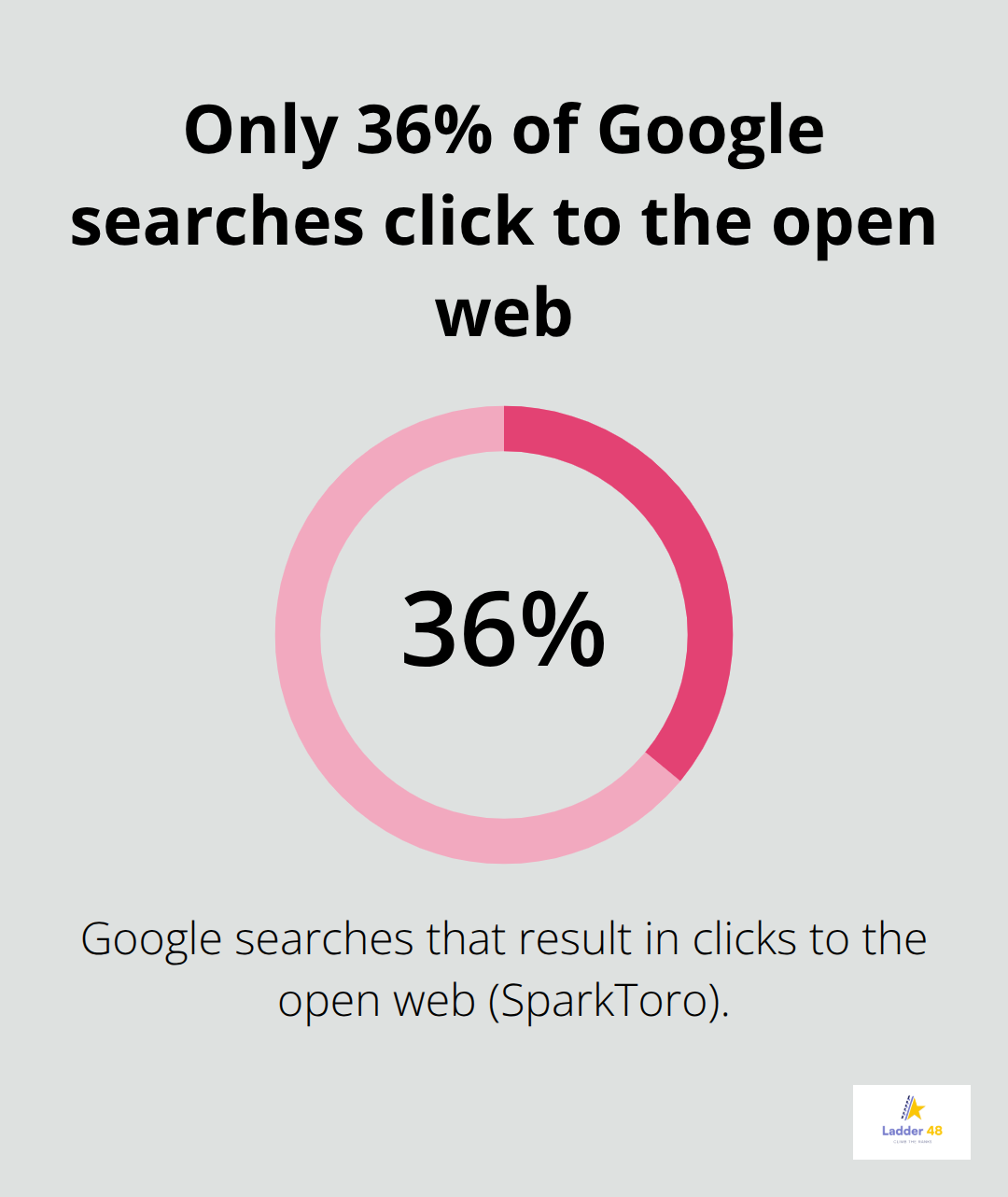
Google’s algorithm no longer relies solely on links and keywords. The search engine now prioritizes behavioral signals to determine which painter websites deserve top rankings. NavBoost, Google’s ranking system, uses actual user clicks and interactions to measure relevance. When potential customers click on your site in search results and spend time exploring your services, Google registers this activity. SparkToro found that only about 36% of Google searches result in clicks to the open web, making every click your site captures increasingly valuable. If your website fails to engage visitors once they arrive, Google will assume it doesn’t match what searchers want, and your rankings will suffer accordingly.
Dwell Time Signals Content Quality to Search Engines
Dwell time measures how long a visitor stays on your page before returning to search results. This metric matters because it signals that your content answered the searcher’s question. For painter websites, longer dwell times occur when visitors view your project galleries, watch process videos, or read detailed service descriptions. Contentsquare’s 2024 Digital Experience Benchmarking Report revealed that 55% of websites received less traffic last year, largely because visitors left too quickly. A slow-loading page kills dwell time instantly. If your homepage takes more than 3 seconds to load, you’re already losing engagement. Google PageSpeed Insights identifies issues like unoptimized images or render-blocking JavaScript that slow your site. Embedding YouTube videos on your service pages ranks among the most practical ways to increase time-on-page. A 2-minute video of your team preparing and painting an interior room will keep visitors engaged far longer than text alone.
Bounce Rate Reveals Content-Intent Mismatches
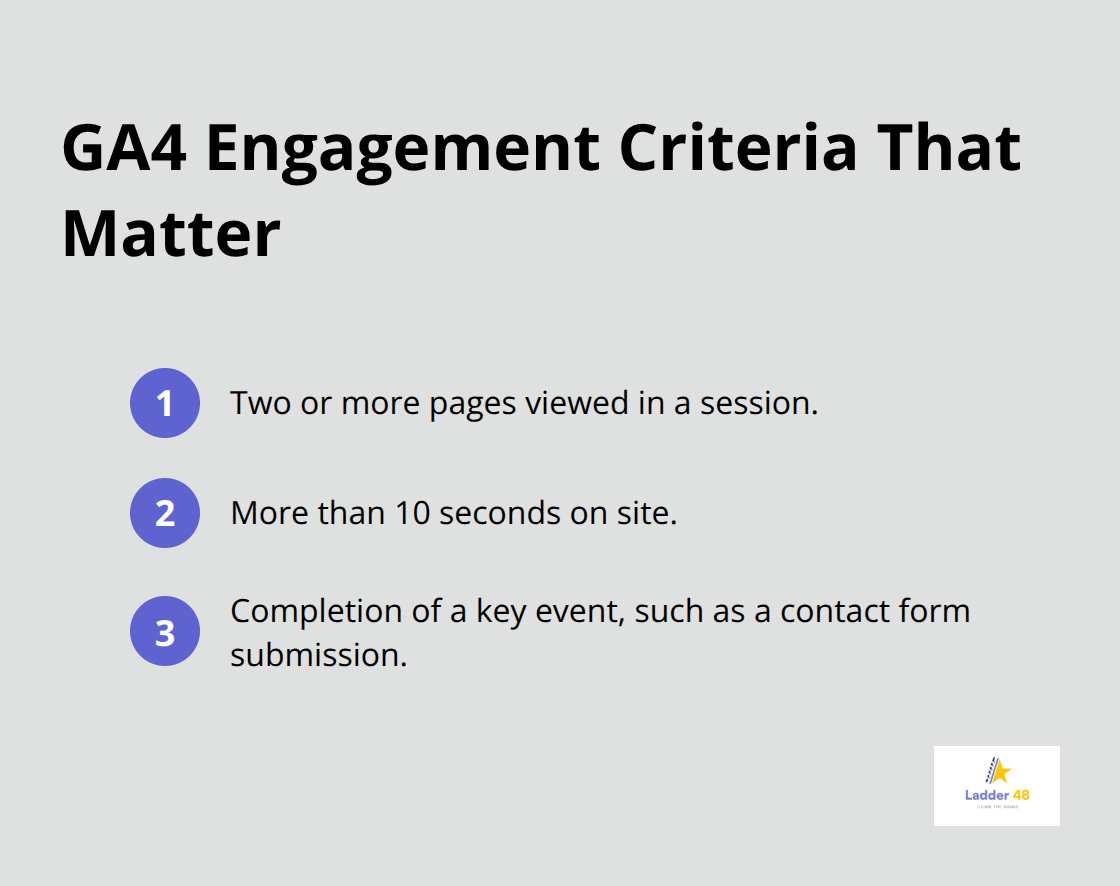
Bounce rate measures the percentage of visitors who leave your site after viewing only one page. A high bounce rate on your service pages means visitors aren’t finding what they need. In GA4, an engaged session requires either two or more pages viewed, more than 10 seconds on site, or completion of a key event like submitting an inquiry form. If 60% of your interior painting page visitors bounce immediately, your page isn’t matching their search intent. Poor page design, unclear navigation, and irrelevant content cause most bounces. EyeQuant research shows that up to a third of a user’s decision to stay happens within a split second based on page clutter. A cluttered service page with too many competing CTAs and unclear headings will drive bounces. Instead, use descriptive headings like Interior Painting, Exterior Painting, and Cabinet Refinishing to guide visitors clearly. Reduce friction by placing your contact form prominently and ensuring it requires only essential fields.
Page Speed Directly Impacts Engagement Metrics
Load speed affects every engagement metric on your site. Contentsquare reports that poor Largest Contentful Paint (LCP) increases bounce rate by 3.9%, while poor Interaction to Next Paint (INP) reduces engagement by 11.7%. These technical issues compound quickly-a visitor who waits 4 seconds for your homepage to load has already formed a negative impression. Try to keep your homepage under 2 seconds on mobile devices, where most painting customers search. Unoptimized images represent the biggest culprit on painter websites. A high-resolution before-and-after gallery can easily exceed 5MB if images aren’t compressed. Use modern image formats like WebP and compress files without sacrificing visual quality. Minify your CSS and JavaScript to eliminate unnecessary code that delays rendering.
Design Clarity Keeps Visitors Engaged Longer
Your page layout determines whether visitors stay or leave within seconds. A clean, uncluttered design with clear visual hierarchy keeps visitors focused on what matters-your work and your contact information. Service pages should feature your best project photos prominently, with short descriptive paragraphs beneath each section. Internal linking guides visitors from your service pages to your portfolio and contact page, extending their journey through your site. A visitor who clicks from your interior painting page to your gallery, then to your testimonials, then to your contact form has created multiple engagement signals that Google rewards. Place your primary CTA (like “Request a Free Quote”) above the fold and repeat it strategically throughout longer pages. Test different CTA placements and copy variations to identify what converts your visitors most effectively.
The metrics you track on your painter website directly influence how Google ranks you against competitors in your area. Once you understand which pages engage visitors and which ones fail, you can prioritize improvements that move the needle on both rankings and lead generation.
Turning Clicks Into Conversions Through Strategic Page Optimization
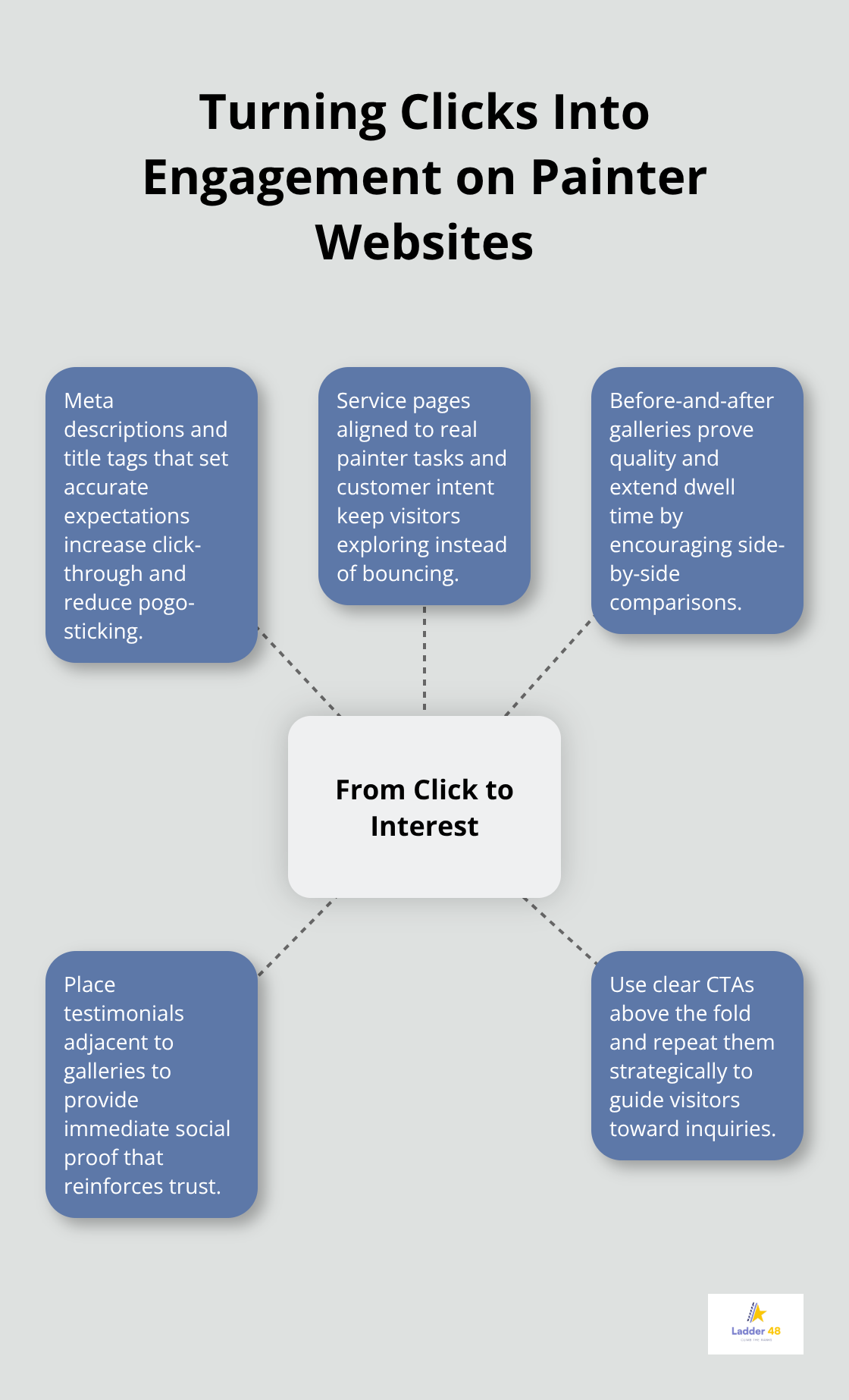
Your search visibility means nothing if visitors leave without engaging. The elements that transform casual clicks into genuine interest include meta descriptions and title tags that accurately represent your work, service pages designed around what painters actually do, and galleries that prove your quality.
Meta Descriptions and Title Tags That Drive Clicks
Meta descriptions appear beneath your URL in search results and directly influence click-through rates. A vague description like “Professional painting services” loses to a specific one like “Interior and exterior painting in Denver with 20+ years experience and free quotes.” Search your target keywords and compare what competitors display in their descriptions. If your description fails to answer the searcher’s immediate question or highlight what makes you different, rewrite it. Keep descriptions under 160 characters on desktop so they display fully.
Title tags carry even more weight-they appear in browser tabs and search results. Avoid keyword stuffing; instead, write titles that sound natural and benefit-focused. A title like “Interior House Painting Services in Denver CO” outperforms “Denver Interior Painting | Exterior Painting | Cabinet Refinishing | Professional Painters.”
Service Pages That Match Search Intent
Service pages must match search intent precisely. If someone searches “how much does interior painting cost,” they land on your interior painting page expecting pricing guidance or a cost breakdown, not a generic description of your company. Include a pricing section or cost factors discussion on every service page. Use clear, scannable headings that address actual customer questions: What does this service include? How long does it take? What’s the price range?
Visitors decide within seconds whether to stay, so your page headline must immediately signal relevance. Your interior painting page should lead with “Interior Painting Services in [Your City]” rather than “Transform Your Space.” Research shows that this direct approach keeps visitors engaged longer than aspirational language.
Before-and-After Galleries That Extend Dwell Time
Embed before-and-after galleries directly on service pages rather than linking to a separate portfolio. These galleries increase dwell time dramatically because visitors naturally spend time comparing transformations. Organize galleries by room type or style so visitors find relevant examples quickly. Add captions that mention specific techniques or paint types, which helps with both engagement and keyword relevance.
Include customer testimonials adjacent to gallery sections-a positive review next to a stunning before-and-after creates powerful social proof. This combination of visual proof and customer validation keeps visitors on your page longer and signals to Google that your content delivers real value.
Reviews and Reputation Signals That Build Trust
Respond to all reviews on Google Business Profile and other platforms within 48 hours, even negative ones. This activity signals freshness to Google’s algorithm and shows potential customers that you actively manage your reputation. Keep your service pages updated regularly; refresh photos annually and update testimonials quarterly to maintain engagement signals.
The pages that engage visitors most effectively become your strongest assets for both rankings and lead generation. Your next step involves measuring which pages actually perform and identifying where visitors drop off.
Track What Actually Matters for Your Painter Website
Google Analytics 4 separates vanity metrics from real engagement signals, and most painter websites track the wrong numbers. Open your GA4 account and navigate to the Engagement section-this is where you’ll find the metrics that correlate with SEO rankings. Focus on Engagement Rate, which GA4 defines as sessions containing either two or more pages, more than 10 seconds on site, or a completed key event like a contact form submission. If your interior painting service page shows a 40% engagement rate, that’s solid; anything below 25% signals a serious problem.
Session Duration and Pages Per Session Reveal Visitor Behavior
Session Duration tells you exactly how long visitors spend on your site before leaving. Painter websites typically see 1.5 to 3 minutes per session on high-performing pages, while underperforming pages drop to 30 seconds or less. Pages per Session reveals whether visitors explore multiple service offerings or bounce immediately after landing. A visitor who views your interior painting page, then your exterior painting page, then your gallery creates three valuable engagement signals that Google rewards.
Bounce Rate Measures Engagement Failures
Bounce Rate in GA4 works differently than older analytics versions-it now measures the percentage of sessions that fail to meet engagement criteria. A 65% bounce rate on your homepage means two-thirds of visitors leave without triggering any engagement signal. Set up conversion events for critical actions: contact form submissions, phone calls through your website, quote requests, and gallery views. These events tell Google that visitors completed meaningful interactions on your site.
Competitive Analysis Exposes Your Engagement Gaps
Comparing your metrics against local competitors reveals whether your engagement problems stem from poor design or intense local competition. Search for your top three competitors in your service area and visit their websites. Check page speed using Google PageSpeed Insights, observe their portfolio organization, and read customer reviews to understand their reputation strength. If a competitor’s service page loads in 1.8 seconds while yours takes 4.2 seconds, that speed gap directly impacts your engagement metrics and rankings.
Heatmaps Identify Where Visitors Abandon Your Pages
Heatmaps from tools like Hotjar or Microsoft Clarity show exactly where visitors click, scroll, and abandon pages. Install heatmaps on your three highest-traffic service pages and run them for two weeks to collect meaningful data. A heatmap revealing that 80% of visitors scroll past your pricing section without reading it indicates your pricing information needs repositioning or clearer formatting. If your CTA button receives few clicks, the problem isn’t the button itself-it’s typically that visitors haven’t scrolled far enough to see it or the surrounding copy fails to convince them to take action. Heatmaps also expose dead zones where visitors never look, allowing you to eliminate clutter and redirect attention to conversion elements. Track these engagement metrics monthly and set specific targets: increase Engagement Rate by 5% next month, reduce Bounce Rate by 3%, and boost Pages per Session from 1.8 to 2.2. These incremental improvements compound into significant ranking gains over a quarter.
Final Thoughts
Engagement metrics control your painter SEO performance directly. Google rewards websites where visitors spend time, explore multiple pages, and complete meaningful actions. When you optimize for click-through rates, dwell time, and bounce rate, you align your website with how Google actually ranks painter services in your area.
The improvements you make compound quickly. Reducing your homepage load time from 4 seconds to 2 seconds immediately lowers bounce rate and extends session duration. Adding before-and-after galleries to service pages keeps visitors engaged longer and signals content quality to Google. Rewriting vague meta descriptions with specific benefits and location details increases clicks from search results, and each change builds momentum that translates into higher rankings and more qualified leads.
Start with your three highest-traffic pages using Google PageSpeed Insights and heatmap tools to identify where visitors abandon your content. Set monthly targets to increase your Engagement Rate by 5%, reduce Bounce Rate by 3%, and boost Pages per Session incrementally (track these metrics in GA4 weekly so you catch problems early). Your competitors likely ignore these painter SEO engagement metrics entirely, which means your opportunity to dominate your local market remains substantial. Visit Ladder 48 to explore how we help painting contractors build SEO strategies focused on engagement and conversions.